Re: Playing with my blue screen
[Re: Jim Poor]
#15816
Re: Playing with my blue screen
[Re: Jim Poor]
#15816
06/11/08 10:17 AM
06/11/08 10:17 AM
|
Joined: Sep 2007
Illinois
julief

Journeyman
|
Journeyman
Joined: Sep 2007
Illinois
|
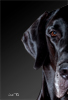
Jim - I think this backdrop would work if it was just a head shot, but it looks like the dog is floating in space. The blue one you posted the other day gives me the same problem. I've actually been mulling over how one would correct the blue backdrop to kind of give the bottom of it a perspective so that it looks like a floor rather than just a straight wall. You'd have to match the perspective of a section of the bottom with the perspective of how the dog is laying. Could be difficult. Both backdrops would be great for head shots, though.
Julie Ford
|
|
|
Re: Playing with my blue screen
[Re: julief]
#15817
06/11/08 10:51 AM
06/11/08 10:51 AM
|
Joined: May 2008
Virginia, USA
Jim Poor
OP
Addict
|
OP
Addict
Joined: May 2008
Virginia, USA
|
Thanks Julie. Those are some of the reasons I'm starting to work with this stuff "on the side." I need to get things all worked out before I try to offer anything like this.
On the pure blue like I posted the other day, I can lower the opacity of the clouds layer to show some of the curvature of the backdrop before the filter. For that one, the background wasn't replaced. I could also go with a little less even lighting to give some depth.
For the one above, I'm thinking about a sled to position the dog on. It will take a bit more work blending the shadows and light to the background to make it work, but I think I can kill the "floating" look.
It was even worse before I put the dogs tail an part of his hip "behind" the sign.
Here are a couple before and afters:


I think if I let some more of the shadows come through the cloud layer, it might make the dog look a little more anchored. The contact shadows are probably key.
Last edited by Jim Poor; 06/11/08 10:54 AM.
|
|
|
Re: Playing with my blue screen
[Re: wallyspop]
#15820
06/11/08 04:18 PM
06/11/08 04:18 PM
|
Joined: May 2008
Virginia, USA
Jim Poor
OP
Addict
|
OP
Addict
Joined: May 2008
Virginia, USA
|
I looked at the tutorials for Fluid Mask yesterday. It seems like a good solution for more complex masking, but I think it is probably overkill for blue / green screen work. I am looking into DPmatte http://www.dvgarage.com/prod/prod.php?prod=dpmatteIf I didn't have to use it with Aperture, I'd have tried it out already. I hear you on getting it the way you want in camera, but somehow I don't see giant candy canes and north pole signs in my travel plans  Of course, I could build a set, but BG replacement gives so many more options. For my wildlife stuff, I'm swinging wildly to the side of no playing around PS to include cropping if I can help it. I suppose I have to find a balance. These type images aren't supposed to look real enough to fool anyone, but they shouldn't look cheesy or like magic carpet rides either.
|
|
|
|
|
0 registered members (),
1,152
guests, and 3
spiders. |
|
Key:
Admin,
Global Mod,
Mod
|
|
|
Forums6
Topics641
Posts1,031
Members3,319
| |
Most Online4,044
Nov 13th, 2025
|
|
|